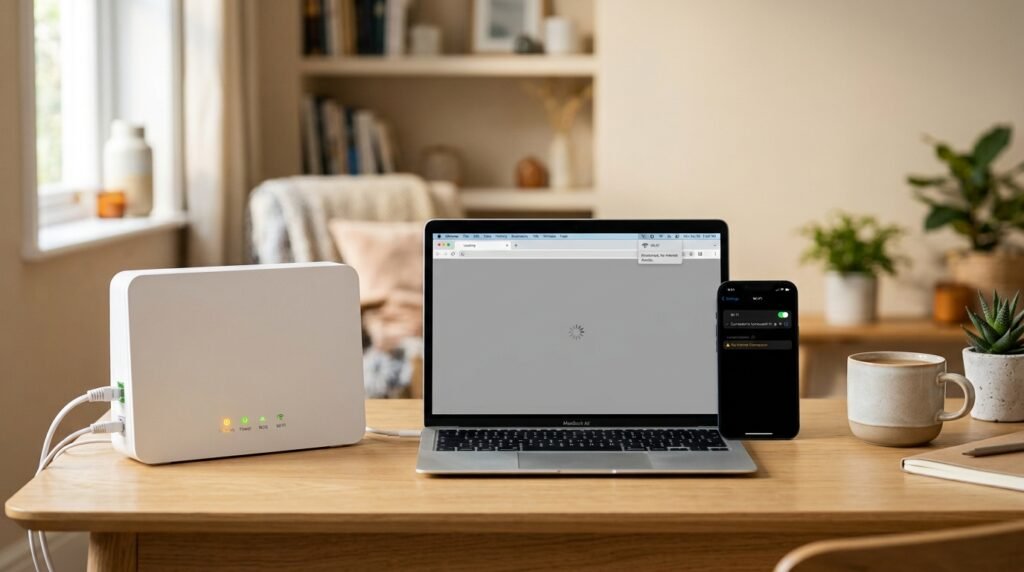
Sometimes the quickest way to find the problem is to look at what happens when you test different devices.
| What you see | What to check next |
|---|---|
| No devices can get online | Sky Service Checker, Hub and broadband connection |
| One device cannot get online | Check that device |
| Wi-Fi network is missing | Check the Hub and Wi-Fi |
| Devices connect to Wi-Fi but have no internet | Check broadband connection and Service Checker |
| Ethernet works but Wi-Fi does not | Investigate Wi-Fi |
| Broadband keeps dropping | Check connection stability and Hub |
| Hub lights look unusual | Check the guide for your Hub model |
| New Copper/Part Fibre connection is changing during first 14 days | Sky’s initial connection testing may be involved |
The important thing is not to assume the cause before testing.
What if Sky says there is no outage?
This is a common question.
A service checker showing no known problem does not automatically prove that everything is working at your home.
There could still be a problem with:
- Your individual broadband connection
- Your Sky Hub
- Your cables
- Wi-Fi
- One device
Run the available connection checks and compare more than one device.
If several devices still cannot access the internet and the problem continues, Sky may need to investigate the connection.
When should you contact Sky?
You should consider contacting Sky if:
- Your broadband remains completely unavailable.
- Sky’s checks identify a fault.
- Several devices remain offline.
- Restarting the Hub has not helped.
- The problem keeps returning.
- You have checked the Hub and connections but still cannot get online.
- You have completed the available troubleshooting steps and the problem continues.
Before contacting Sky, it can help to note what you have already tested.
For example:
“My phone and laptop both connect to the Wi-Fi, but neither can access the internet. I restarted the Hub and checked the Service Checker.”
That gives support a much clearer picture of the problem.
Common Sky broadband problems
Here are some of the most common situations covered by this guide:
Sky broadband not working
Check the Service Checker, Hub and connection first.
Sky internet not working
Test another device to see whether the problem affects the whole home.
Sky broadband keeps dropping
Look for a pattern and check whether Ethernet and Wi-Fi are both affected.
Sky Wi-Fi not working
Check whether devices can see and connect to the Sky Wi-Fi network.
Sky Wi-Fi connected but no internet
Check whether other devices have the same problem and investigate the broadband connection.
Sky broadband problem in my area
Check Sky’s Service Checker for known service problems.
Frequently asked questions
Why is my Sky broadband not working?
Start by checking Sky’s Service Checker and then test another device. If several devices cannot access the internet, check your Sky Hub, its cables and the broadband connection. Sky also provides connection diagnostics for broadband problems.
How do I know if Sky broadband is down?
Check Sky’s Service Checker for your broadband service. It can show service status and allow you to run fresh checks on your Sky products.
Why is my Sky internet not working but Wi-Fi is connected?
Your device can be connected to the Sky Hub over Wi-Fi without having working internet access. Test another device. If several devices have the same problem, check the Sky Hub, Service Checker and broadband connection.
Why does my Sky broadband keep going off?
Repeated dropouts can have different causes, including a broadband connection problem or Wi-Fi problem. Check whether all devices are affected and whether the Hub lights change when the connection drops.
If you have recently started a Copper or Part Fibre Sky Broadband service, Sky says the first 14 days can include connection testing and optimisation, during which speeds can vary and the connection can drop in and out.
Should I restart my Sky Hub?
Yes, restarting the Hub is a reasonable early troubleshooting step. Sky’s own troubleshooting guidance recommends switching the Hub off at the mains and switching it back on, allowing a few minutes for the connection to return.
Why is only one device having problems with Sky broadband?
If other devices work normally, the problem may be specific to the affected device or its Wi-Fi connection. Check the device’s Wi-Fi settings, disconnect and reconnect to the network, and restart the device.
What do the lights on my Sky Hub mean?
The meaning depends on which Sky Hub you have. Sky provides separate information for different Hub models, including the Sky Max Hub, Sky Broadband Hub, Sky Q Hub and Sky Hub.
Related Sky guides
If your problem is more specific, these guides may help:
- Sky Wi-Fi Not Working? What to Check First
- Sky Wi-Fi Connected but No Internet? What to Try
- Sky Broadband Keeps Dropping: How to Find the Cause
- Sky Hub Lights Explained: What Each Light Means
- How to Restart or Reset Your Sky Hub Safely
- Sky Broadband Problems in My Area? How to Check for an Outage
- Sky Broadband Is Slow: How to Check Your Real Speed
About TelecomHub
TelecomHub is an independent UK website providing practical guides for broadband, Wi-Fi and mobile problems.
We are not Sky and are not affiliated with Sky.
Our guides are written to help readers understand common connectivity problems and work through sensible troubleshooting steps before deciding whether they need further support.
Where provider-specific information is important, we check the relevant provider’s official help information.
Sources and verification
The Sky-specific information in this guide was checked against Sky’s current help information, including its Service Checker, Hub-light guidance, broadband troubleshooting information and guidance for new Copper and Part Fibre connections.
- Sky Service Checker
- Sky Help
- Sky Hub lights explained
- Sky broadband speeds in your first two weeks
- Sky broadband troubleshooting
Last verified: September 2026